
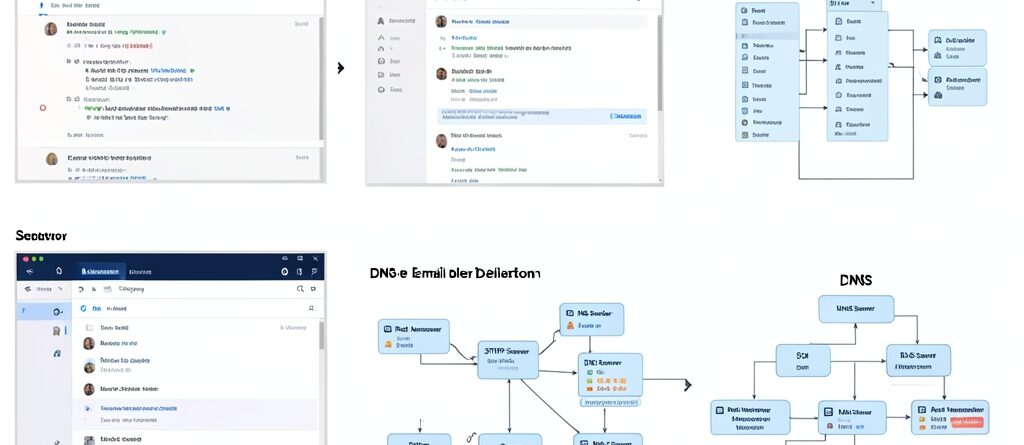
Website Can’t Send Emails? SMTP Troubleshooting Guide
Website Can’t Send Emails? SMTP Troubleshooting Guide
There is nothing more frustrating than setting up a beautiful website only to realize your contact forms are not working. You send a test email, wait for a few minutes, and nothing arrives in your inbox. Or worse, the email arrives but lands straight in the spam folder. This is a common wordpress smtp problem that affects thousands of site owners who rely on the default PHP mail function.
Most shared hosting environments in Malaysia and around the world disable the default mail function to prevent spam. When you use the standard WordPress mailer, your server sends emails without proper authentication. To the receiving mail server, your website looks like a bot or a spammer. This is why your transactional emails, like password resets and order confirmations, simply vanish into thin air.
To fix this, you need to move away from the default settings and implement Simple Mail Transfer Protocol (SMTP). SMTP allows your website to connect to a dedicated email server, ensuring that every message is authenticated and delivered. If you are currently facing a wordpress smtp problem, this guide will walk you through the diagnosis and the solution step by step.
Understanding the WordPress SMTP Problem
Before we dive into the fixes, it is important to understand why this happens. By default, WordPress uses a function called wp_mail(). This function tells your web server to send the email. However, your web server is not designed to be a mail server. It lacks the reputation and the security credentials that Gmail, Outlook, or Zoho possess.
When a receiving server sees an email from a generic web server, it asks several questions. Is there a digital signature? Does the sender have a verified identity? If the answer is no, the email is either blocked or flagged as junk. This is why you need an SMTP plugin to route your emails through a professional mail provider.
Common Symptoms of SMTP Issues
Not all email problems are the same. You might be experiencing a total failure or a delivery issue. Identifying the symptom helps narrow down the cause. Here are the most frequent signs that you have a wordpress smtp problem:
- Contact form submissions do not trigger any notification to the admin.
- New user registration emails are never received by the customer.
- WooCommerce order receipts are missing from the customer’s inbox.
- The website displays an error message like “Failed to send email” upon submission.
- Emails are delivered, but they are always marked as Spam or Junk.
How to Diagnose Your SMTP Authentication
The first step in solving a wordpress smtp problem is determining where the chain is breaking. Usually, the issue lies in authentication. SMTP requires a username, a password, a port, and an encryption method. If any of these are incorrect, the connection will fail.
Start by installing a SMTP testing plugin. Most reputable plugins provide a “Test Email” feature. When you send a test email, the plugin will generate a detailed log. If you see an error like “Authentication Failed,” it means your username or password is wrong. If you see a “Connection Timeout,” the problem is likely the port being blocked by your host.
The most common mistake is using the website admin password instead of the specific email account password. Remember that SMTP needs the credentials of the actual email address you are sending from.
Checking Your SMTP Port Settings
Ports are the digital gateways through which your email travels. Using the wrong port is a frequent cause of a wordpress smtp problem. Depending on your encryption method (SSL or TLS), you must use the correct port.
For most modern providers, Port 465 is used for SSL, and Port 587 is used for TLS. If you try to use Port 25, you will likely fail because most hosting providers block this port to stop spam. If you are using web hosting Malaysia, ensure that your hosting provider allows outbound connections on these specific ports.
| Encryption Method | Recommended Port | Common Use Case |
|---|---|---|
| SSL | 465 | Secure, legacy standard |
| TLS | 587 | Modern, recommended standard |
| None | 25 | Rarely used, usually blocked |
Fixing DNS Records for Better Deliverability
Even if your SMTP plugin says “Email Sent Successfully,” the email might still be missing. This happens when your DNS records are not configured correctly. DNS records tell the world that your website has permission to send emails on behalf of your domain.
Without these records, your emails lack a “passport.” The receiving server sees a valid SMTP connection but notices that the domain ownership hasn’t been verified. This is the most hidden part of a wordpress smtp problem.
The Role of SPF Records
Sender Policy Framework (SPF) is a text record in your DNS that lists which mail servers are authorized to send emails for your domain. For example, if you use Google Workspace, your SPF record should include Google’s servers. If it doesn’t, other servers might think your website is spoofing your email address.
The Role of DKIM Records
DomainKeys Identified Mail (DKIM) adds a digital signature to your emails. It is like a wax seal on an envelope. The receiving server uses a public key found in your DNS records to verify that the email was not altered during transit. When DKIM is missing, the risk of your email ending up in the spam folder increases significantly.
DMARC Implementation
DMARC (Domain-based Message Authentication, Reporting, and Conformance) is the final layer. It tells the receiving server what to do if the SPF or DKIM checks fail. You can set it to “none” (just monitor), “quarantine” (send to spam), or “reject” (block entirely). Implementing a basic DMARC record shows that you are a serious sender and improves your reputation.
Step by Step Guide to Configuring a SMTP Plugin
Once you have checked your DNS and ports, it is time to set up the software. You do not need to be a coder to fix a wordpress smtp problem. Follow these steps to get your mail flowing again.
- Install an SMTP Plugin: Search for a highly rated SMTP plugin in the WordPress repository.
- Choose Your Mailer: Select your provider. If you have a business email via your host, choose “Other SMTP.” If you use Gmail or SendGrid, select the specific integration.
- Enter SMTP Host: This is the address of your mail server, such as mail.yourdomain.com or smtp.gmail.com.
- Set Encryption: Choose TLS or SSL based on your provider’s requirements.
- Enter Credentials: Provide the full email address as the username and the account password.
- Send a Test Email: Always send a test message to a different email provider (e.g., send from Gmail to Yahoo) to ensure it is not just a local caching issue.
If you find this process overwhelming or if you are still facing a wordpress smtp problem after trying these steps, you might want to look into professional website maintenance packages. Professional technicians can audit your DNS and mail headers to find the exact leak in your communication chain.
Alternative Solutions for High Volume Emails
For some businesses, using a standard email account for SMTP is not enough. If you send thousands of newsletters or order notifications daily, your account might be flagged for “bulk sending,” which leads to a new wordpress smtp problem: account suspension.
In this case, you should use a transactional email service. These are services specifically built to deliver high volumes of mail with high deliverability rates. They provide you with a dedicated API key or SMTP credentials that are far more robust than a standard IMAP/SMTP account.
Examples of these services include SendGrid, Mailgun, and Amazon SES. These providers handle the reputation management for you. Instead of worrying about whether your server IP is blacklisted, you rely on their massive infrastructure to get your mail into the inbox.
Summary
Resolving a wordpress smtp problem is mostly about moving from an unauthenticated system to a verified one. By replacing the default PHP mail function with a dedicated SMTP configuration, you eliminate the guesswork. The key is to ensure your SMTP port is open, your credentials are correct, and your DNS records (SPF, DKIM, and DMARC) are properly aligned.
When these three elements work together, your website becomes a trusted sender. No more lost leads, no more missing order confirmations, and no more guessing why your customers are not receiving your emails. If you prefer a hands-off approach to managing your tech stack, visiting Ewallz Solutions can provide the expert support needed to keep your site running smoothly.
You Might Be Wondering (FAQ)
Why is my WordPress site not sending emails even after installing an SMTP plugin?
This usually happens because of a port conflict or an incorrect DNS record. Even with a plugin, if your host blocks port 465 or 587, the email cannot leave the server. Also, check if your SPF record includes the SMTP provider you are using.
Can I use my personal Gmail account for my website SMTP?
Yes, but it is not recommended for professional sites. Gmail has strict sending limits and may flag your account for suspicious activity if you send too many automated emails. It is better to use a professional business email or a transactional mail service.
What is the difference between SSL and TLS in SMTP settings?
SSL (Secure Sockets Layer) is an older encryption standard usually associated with port 465. TLS (Transport Layer Security) is the modern, more secure successor usually associated with port 587. Most modern providers recommend TLS.
Does using SMTP slow down my website?
Generally, no. However, if your SMTP server is slow to respond, it can cause a slight delay during form submission. To avoid this, use a plugin that supports “asynchronous sending” or use a high-performance transactional email API.
How do I know if my emails are landing in the spam folder?
You can use a tool called Mail-Tester. It provides you with a temporary email address to send a message to. It then analyzes your email headers, SPF, DKIM, and content to give you a deliverability score and tell you exactly why you are hitting the spam folder.



Leave a Reply